Week 1
Map your billing.
- YouShare pricing rules and sample invoices
- YouProvide access to operational and cost data
- WeMap billable events, costs, surcharges and exceptions
Billr prices each order as it happens from every client's own rate card, surcharges and exceptions, shows you what it cost and what it earned, and hands finance invoice-ready lines. Your WMS stays exactly as it is.
Book 30 minutesA 30-minute call about your billing. Free, no contract, no obligation.
The same month for a 3PL, with and without Billr.
 Without Billr Without Billr |  With Billr With Billr | |
|---|---|---|
| Rate cards | A spreadsheet per client, one person knows it | Price lists per client with validity dates, anyone can look up any date |
| Carrier surcharges | Added by hand, often forgotten | Priced per shipment from the carrier data, every time |
| Carrier price increase | Every client sheet edited one by one | Base updated once, every client price follows its markup rule |
| Month-end | Five days of exports and reconciling | Charges priced all month, the run approved in an afternoon |
| Margin per client | A guess until the year closes | Visible per client, lane and weight bracket, any day |
| A client asks why | Someone digs through the WMS | A line-by-line report with the order behind every charge |
| A wrong price | Credit note written by hand | Charges credited and re-priced with a preview, originals kept |
AI assistant
Copy one page from Billr into Claude, ChatGPT, Cursor or any assistant that can call an API. From then on it reads your customers, charges, price lists, bills and analytics directly, with the permissions of your own user.
Which clients were under 15 % margin in September?
Three of 41 clients were below 15 % in September. All three ship mostly to zone 3 on the 2025 rate card:
| Client | Revenue | Margin |
|---|---|---|
| Northwind Outdoor | €48,210 | 11.4 % |
| Harbour Supplies | €31,905 | 12.9 % |
| Atlas Home | €17,330 | 14.2 % |
Source: Billr analytics, revenue and margin by client, 1 to 30 September
Why did Northwind's invoice go up 18 % against August?
Volume is flat (+2 %). 312 shipments moved from zone 2 to zone 3 after their new warehouse opened on 9 September (+€5,140), and the carrier fuel surcharge rose from 9 % to 12 % on 1 September (+€1,870).
Source: 4 GraphQL queries on charges and price lists
Prepare a 3 % increase for Northwind from 1 January, I will review it.
Done. Draft price list "Northwind 2027" is ready in Billr, valid from 1 January 2027, 86 prices, zone 3 surcharge unchanged. Nothing is published until you approve it.
Billr sits next to your WMS and carriers, prices every event against the client's contract, and shows you cost and margin on each one.
Orders, pick lines, storage days and shipments flow in from your WMS and carriers. Billr prices each one against the client's own rate card, surcharges and exceptions within minutes, not at month-end.
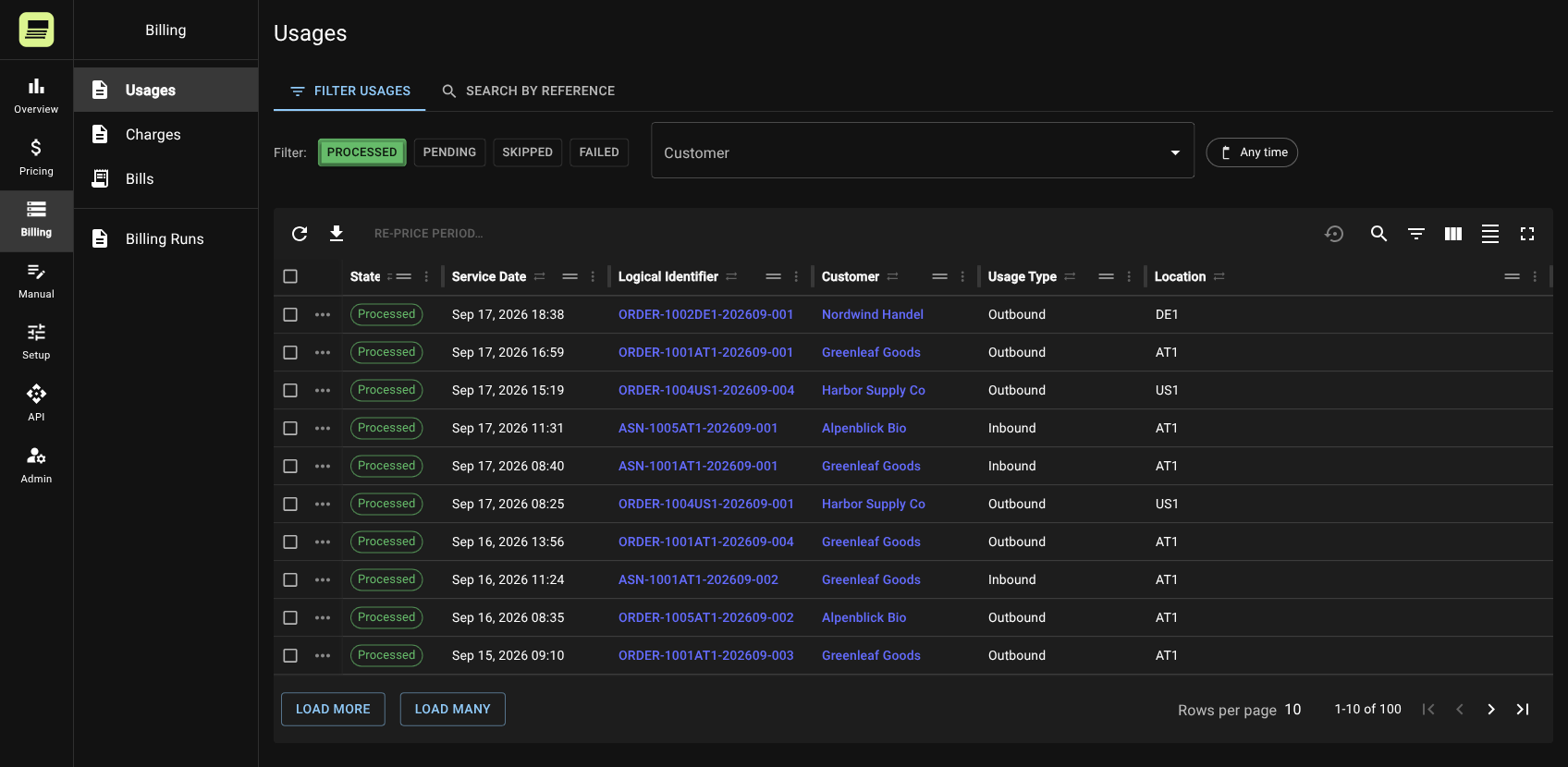
Billr holds what the shipment cost you and what you charged for it. Margin per order, client, weight bracket, country and carrier, in numbers and percent, so you decide on a lower price with the data in front of you.
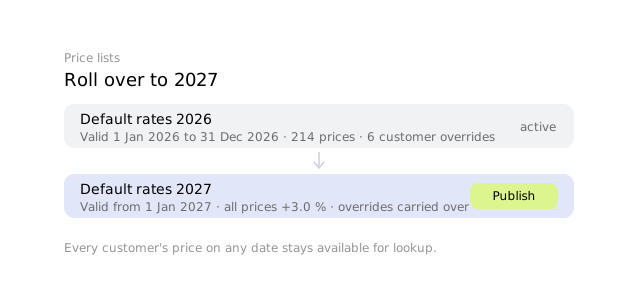
When a carrier raises rates, update the base once and every client's price follows its own markup rule. No client-by-client editing, no missed clients.
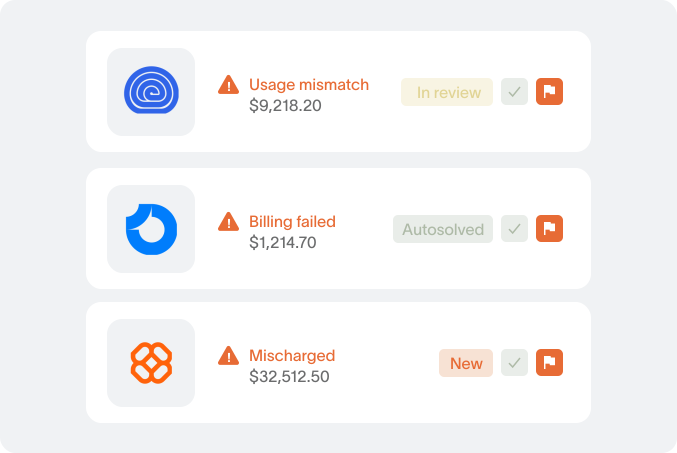
Validation flags unmapped shipping channels, duplicate shipments and prices that do not match the contract. You review exceptions while there is still time to fix them.
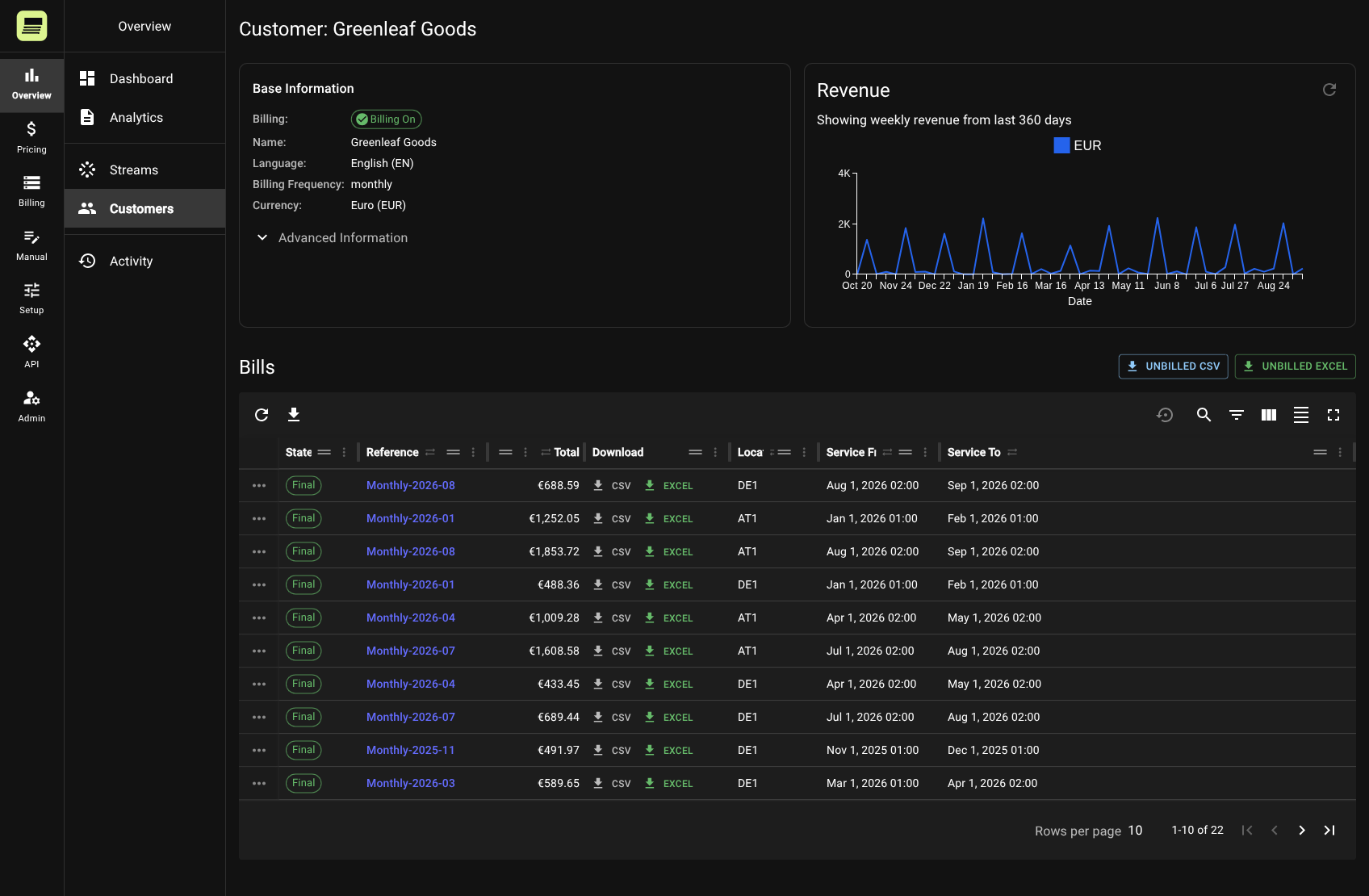
Every invoice carries a line-by-line report down to the order behind each charge, and a client view shows charges while the month is still running. Fewer questions, shorter disputes, and real-time transparency becomes a sales argument.
Billr produces the invoice lines in the client's language and currency and hands them to your invoicing tool or accounting system. Nothing is typed twice.
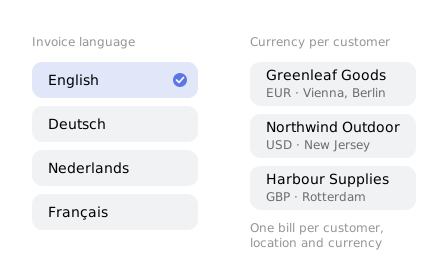
Billr works from the data your systems already produce.
| Your systems send | Billr returns |
|---|---|
| A shipment with weight, zone and carrier | A priced line with base rate, surcharges, your cost and the margin |
| Daily storage snapshot per client | Storage fees per tier, per day, per client |
| Pick and pack lines | Pick fees, additional item fees, packaging charges |
| A new carrier rate card | Every client's prices updated from the date you choose |
| A price typed wrong last month | The affected charges credited and re-priced, with the difference per client shown before you apply it |
| Month-end | Invoice-ready lines per client, in their language and currency, with gap-free numbering |
Billing shouldn’t take you months to implement
Week 1
Week 2–3
Week 4

“Using this platform has been a game-changer. It handles different pricing models seamlessly.”

Nolan Rook
CTO at Ecomflow

“Rethink your processes. Rethink your pricing. Billr gives you the freedom to model and price anything you can imagine.“

Lutz Prosser
CFO at Quivo
Controls
Billing software is judged on the month it goes wrong. These are the rules Billr enforces so that month does not happen.
Send an event as often as you like. Billr stores it once under its ID, keeps its order or session reference, and it can only ever be billed once.
A run does not start until every data source has delivered up to the period end and no errors are waiting. Nothing goes out until you approve it.
Numbers are assigned when a bill is finalised, in sequence, one bill per customer, location and currency. No holes to explain to the auditor.
A credit reverses the revenue, with or without the cost. A corrected event credits the old charges and bills new ones. The originals stay.
After a price change, see the difference per customer for a selection or a whole period before anything is applied.
Field-level history on prices, price lists, mappings and overrides, plus who started and who approved every billing run.
Every customer runs in its own environment in the EU (AWS Ireland), with its own database, its own users and invite-only access.
No. Billr reads orders, shipments and storage data from your WMS and carriers through its API, scheduled imports or file exports. Nothing in your operation changes.
About four weeks. Week one we map your rate cards and sample invoices, weeks two and three we configure and run Billr in parallel with your current billing, week four you bill real clients with it.
One customer, one month. The invoice you sent them and the data it was based on, as a WMS export or a sheet. We price that month in Billr and compare it line by line with your invoice. If the invoice does not show enough detail, we ask for the rate card. In a past comparison, 9,706 of 9,709 transport lines matched exactly before any system was connected.
Billr produces the priced, auditable invoice lines. Your invoicing or accounting tool sends the invoice, so your numbering, layout and e-invoicing stay where they are.
Today, every invoice comes with a line-by-line report they can check against their own order data. The live client view, where they follow charges during the month, is built with the first 3PL that wants to offer it, inside the four-week setup.
Your team. Rate cards, surcharges and client-specific rules are configured in Billr, not in code. When you need a new pricing model, we build it with you.
The first step
You do not need a project, a budget or a decision to find out what Billr would change for you. You need half an hour.
You show us how you bill today: your systems, your price lists, where the month goes wrong. We tell you on the call what Billr would do with it, and what it would not.
One customer, one month: send us the invoice and the data behind it. You get it back priced in Billr, matched against your invoice, with the breakdown behind every line and the analytics on top: volumes, revenue, margin.
A short document: what matched, what differed and why, what we found in the numbers, and what a setup would involve. No contract, nothing to install, nothing to prepare.
If you do not like what you see, you say no. That is the whole risk.